Repairing a damaged Printed Circuit Board (PCB) is a meticulous process that requires a blend of technical knowledge, precision tools, and patience. As a PCB supplier, I’ve witnessed firsthand the importance of PCB repair in extending the lifespan of electronic devices and ensuring their optimal performance. In this blog, I’ll share a comprehensive guide on how to repair a damaged PCB, covering everything from identifying the problem to the final testing phase. PCB
Step 1: Visual Inspection
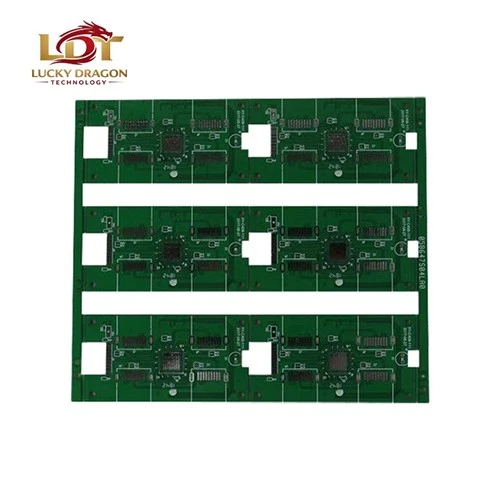
The first step in repairing a damaged PCB is to conduct a thorough visual inspection. This involves carefully examining the PCB for any visible signs of damage, such as burnt components, cracked traces, or loose connections. Use a magnifying glass or a microscope to get a closer look at the PCB’s surface. Pay special attention to areas around components that generate a lot of heat, as these are more prone to damage.
During the visual inspection, look for the following signs of damage:
- Burnt Components: Components that have been overheated may appear blackened or charred. This could be due to a short circuit or excessive current flow.
- Cracked Traces: Traces are the thin conductive lines on the PCB that connect components. Cracks in the traces can disrupt the flow of electricity and cause the circuit to malfunction.
- Loose Connections: Check for any loose or disconnected components, such as resistors, capacitors, or integrated circuits. These can cause intermittent problems or complete failure of the circuit.
- Corrosion: Corrosion can occur due to exposure to moisture or chemicals. Look for signs of rust or discoloration on the PCB’s surface.
Step 2: Identify the Problem
Once you’ve completed the visual inspection, it’s time to identify the root cause of the damage. This may require using a multimeter or other testing equipment to measure the electrical properties of the PCB. Here are some common problems that can cause PCB damage:
- Short Circuits: A short circuit occurs when two or more conductive paths on the PCB come into contact with each other, causing an abnormal flow of current. This can be caused by damaged traces, soldering errors, or foreign objects on the PCB.
- Open Circuits: An open circuit occurs when there is a break in the conductive path, preventing the flow of electricity. This can be caused by cracked traces, disconnected components, or damaged solder joints.
- Component Failure: Components such as resistors, capacitors, and integrated circuits can fail due to overheating, overvoltage, or age. This can cause the circuit to malfunction or stop working altogether.
- Power Supply Issues: Problems with the power supply, such as voltage fluctuations or incorrect polarity, can cause damage to the PCB and its components.
Step 3: Gather the Necessary Tools and Materials
Before you start repairing the PCB, you’ll need to gather the necessary tools and materials. Here are some of the tools and materials you’ll need:
- Soldering Iron: A soldering iron is used to melt solder and create electrical connections between components and the PCB. Make sure to choose a soldering iron with the appropriate wattage for the job.
- Solder: Solder is a metal alloy that is used to join components to the PCB. Choose a high-quality solder that is suitable for the type of PCB you’re working with.
- Desoldering Pump or Wick: A desoldering pump or wick is used to remove excess solder from the PCB. This is useful when you need to replace a component or repair a solder joint.
- Multimeter: A multimeter is used to measure the electrical properties of the PCB, such as voltage, current, and resistance. This is essential for troubleshooting and identifying the root cause of the problem.
- Component Removal Tools: You may need to use tools such as pliers, tweezers, or a hot air gun to remove components from the PCB. Make sure to use the appropriate tools for the type of component you’re removing.
- Replacement Components: If you’ve identified a faulty component, you’ll need to replace it with a new one. Make sure to choose a replacement component that is compatible with the PCB and has the same specifications as the original component.
Step 4: Remove the Damaged Component
Once you’ve identified the faulty component, it’s time to remove it from the PCB. Here’s how to do it:
- Heat the Solder Joints: Use a soldering iron to heat the solder joints on the component. Make sure to apply enough heat to melt the solder, but be careful not to overheat the component or the PCB.
- Remove the Component: Once the solder has melted, use a pair of pliers or tweezers to gently remove the component from the PCB. Be careful not to damage the traces or other components on the PCB.
- Clean the Solder Pads: After removing the component, use a desoldering pump or wick to remove any excess solder from the solder pads. This will ensure a clean surface for the new component.
Step 5: Install the Replacement Component
Once you’ve removed the damaged component, it’s time to install the replacement component. Here’s how to do it:
- Position the Component: Place the replacement component on the PCB in the same position as the original component. Make sure to align the pins of the component with the solder pads on the PCB.
- Solder the Component: Use a soldering iron to melt the solder and create electrical connections between the pins of the component and the solder pads on the PCB. Make sure to apply enough solder to create a strong connection, but be careful not to use too much solder, as this can cause short circuits.
- Inspect the Solder Joints: After soldering the component, inspect the solder joints to make sure they are clean and free of any defects. Use a magnifying glass or a microscope to get a closer look at the solder joints.
Step 6: Test the PCB
Once you’ve installed the replacement component, it’s time to test the PCB to make sure it’s working properly. Here’s how to do it:
- Power On the PCB: Connect the PCB to a power source and turn it on. Make sure to use the correct voltage and polarity for the PCB.
- Check the Voltage and Current: Use a multimeter to measure the voltage and current at various points on the PCB. Make sure the voltage and current are within the specifications of the PCB and its components.
- Test the Functionality: Test the functionality of the PCB by performing a series of tests. This may involve using a test equipment or a software program to check the performance of the PCB.
- Check for Errors: If the PCB is not working properly, check for any errors or malfunctions. This may involve using a diagnostic tool or a troubleshooting guide to identify the problem.
Step 7: Final Inspection
Once you’ve tested the PCB and confirmed that it’s working properly, it’s time to perform a final inspection. Here’s what to look for:
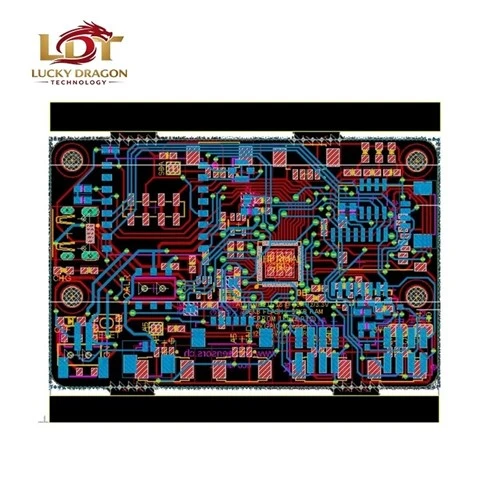
- Solder Joints: Check the solder joints to make sure they are clean and free of any defects. Make sure the solder joints are not too thick or too thin, and that they are not bridging any adjacent pins or traces.
- Components: Check the components to make sure they are properly installed and functioning correctly. Make sure the components are not loose or damaged, and that they are not overheating.
- Traces: Check the traces to make sure they are not cracked or damaged. Make sure the traces are not shorted or open, and that they are not interfering with any other components or traces on the PCB.
- Overall Appearance: Check the overall appearance of the PCB to make sure it is clean and free of any debris or contaminants. Make sure the PCB is not warped or damaged, and that it is properly mounted in its enclosure.
Conclusion
PCBA Repairing a damaged PCB is a challenging but rewarding process. By following the steps outlined in this blog, you can repair a damaged PCB and extend the lifespan of your electronic devices. As a PCB supplier, I’m committed to providing high-quality PCBs and support to our customers. If you have any questions or need assistance with PCB repair, please don’t hesitate to contact us. We’re here to help you get the most out of your electronic devices.
References
- "Printed Circuit Board Design: A Practical Guide" by John Coonrod
- "PCB Design for Manufacturability" by Douglas Brooks
- "Fundamentals of Printed Circuit Technology" by John W. Sutherland
Lucky Dragon Technology Shenzhen Co., Ltd.
With abundant experience, we are one of the most professional PCB manufacturers and suppliers in China. We warmly welcome you to buy bulk high quality PCB for sale here from our factory. If you have any enquiry about cooperation, please feel free to email us.
Address: 5th Floor, Building 1, Jinshan Industrial Park, 375, Xixiang Section, Guangshen Road, Xixiang Street, Baoan District, Shenzhen City, Guangdong Province, China
E-mail: sales@Ldtac.com
WebSite: https://www.ldtac.com/
